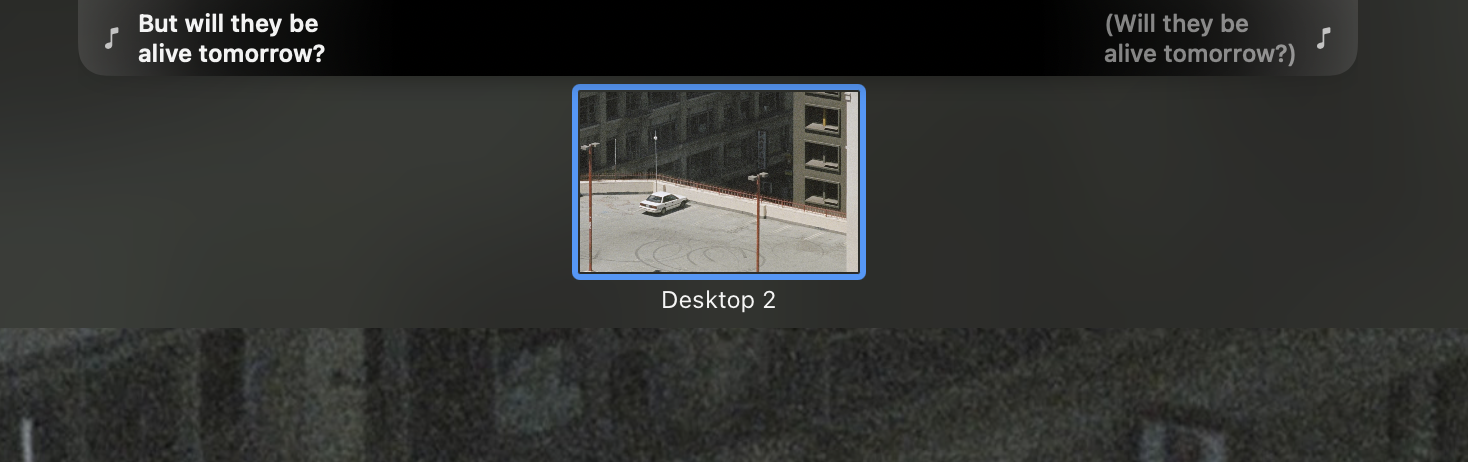
What It Is
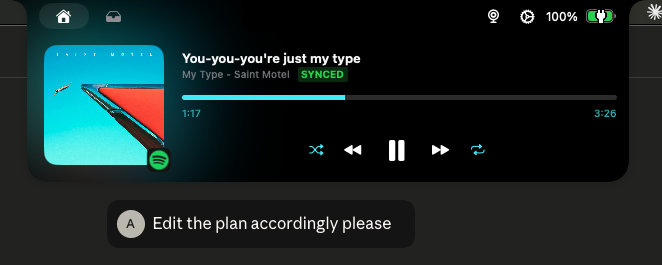
A fork of Boring Notch that adds real-time synchronized lyrics display to the MacBook notch. The lyrics scroll automatically in sync with your music, turning the notch into a dynamic karaoke-style display.
The original Boring Notch transforms the MacBook notch into a music control center with visualizers and playback controls. My fork extends this with a complete lyrics subsystem featuring multiple display modes, per-monitor configuration, and timing adjustments.
Features Added
Real-time Scrolling Lyrics - Live synchronized lyrics with automatic timing from music APIs. Multiple display modes adapt to different preferences and screen configurations.
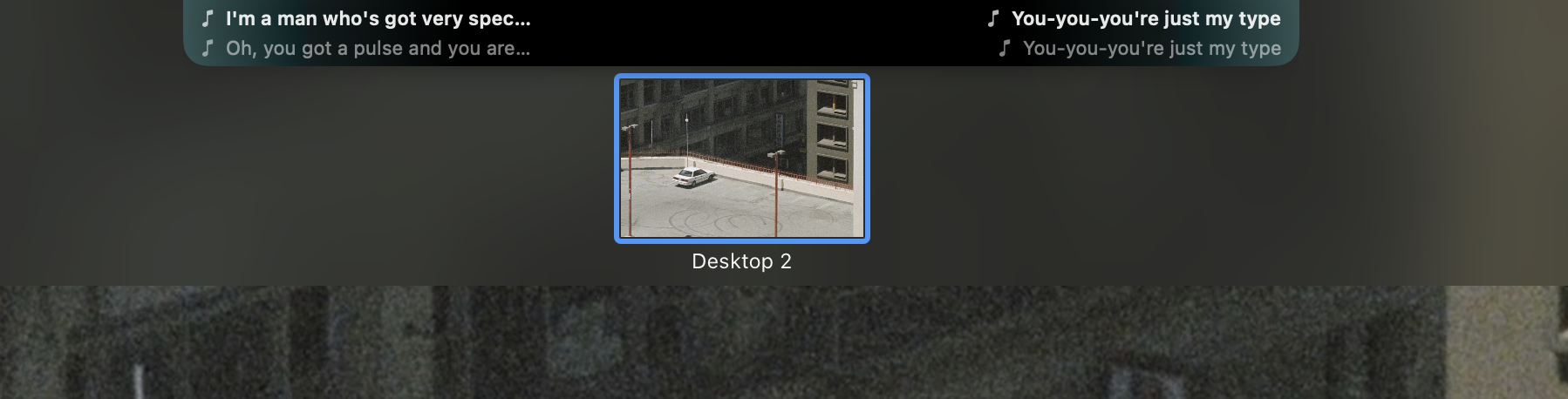
Flowing Mode - Current line on left, next line on right (classic side-by-side layout).
Alternating Mode - Lyrics alternate between left and right sides as they progress.
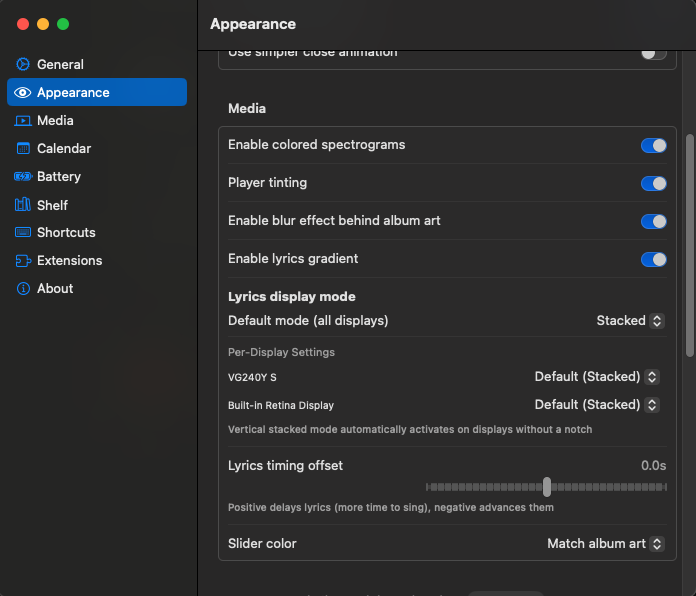
Per-Display Configuration - Set independent lyrics modes for each connected monitor. Timing offset controls let you fine-tune synchronization with +/- adjustments.
- Stacked Mode - Adaptive 2x2 grid on notched displays, centered vertical stack on external monitors
- Automatic Display Detection - Detects notch presence and adapts layout automatically
- Enhanced UI - Gradient effects, improved typography, seamless notch extension
Supported Music Sources
How to Use
Enable Lyrics Mode: Press Cmd + Shift + Y while music is playing
Configure Display Mode: Open Settings → Appearance → Lyrics display mode
Per-Display Settings: If you have multiple monitors, you can set different lyrics modes for each display
Adjust Timing: Use the lyrics offset slider in settings to fine-tune synchronization
Installation
Option 1: Homebrew (Easiest)
brew install AusafMo/boring-notch/boring-notch-lyrics --no-quarantine
Option 2: Download from Releases
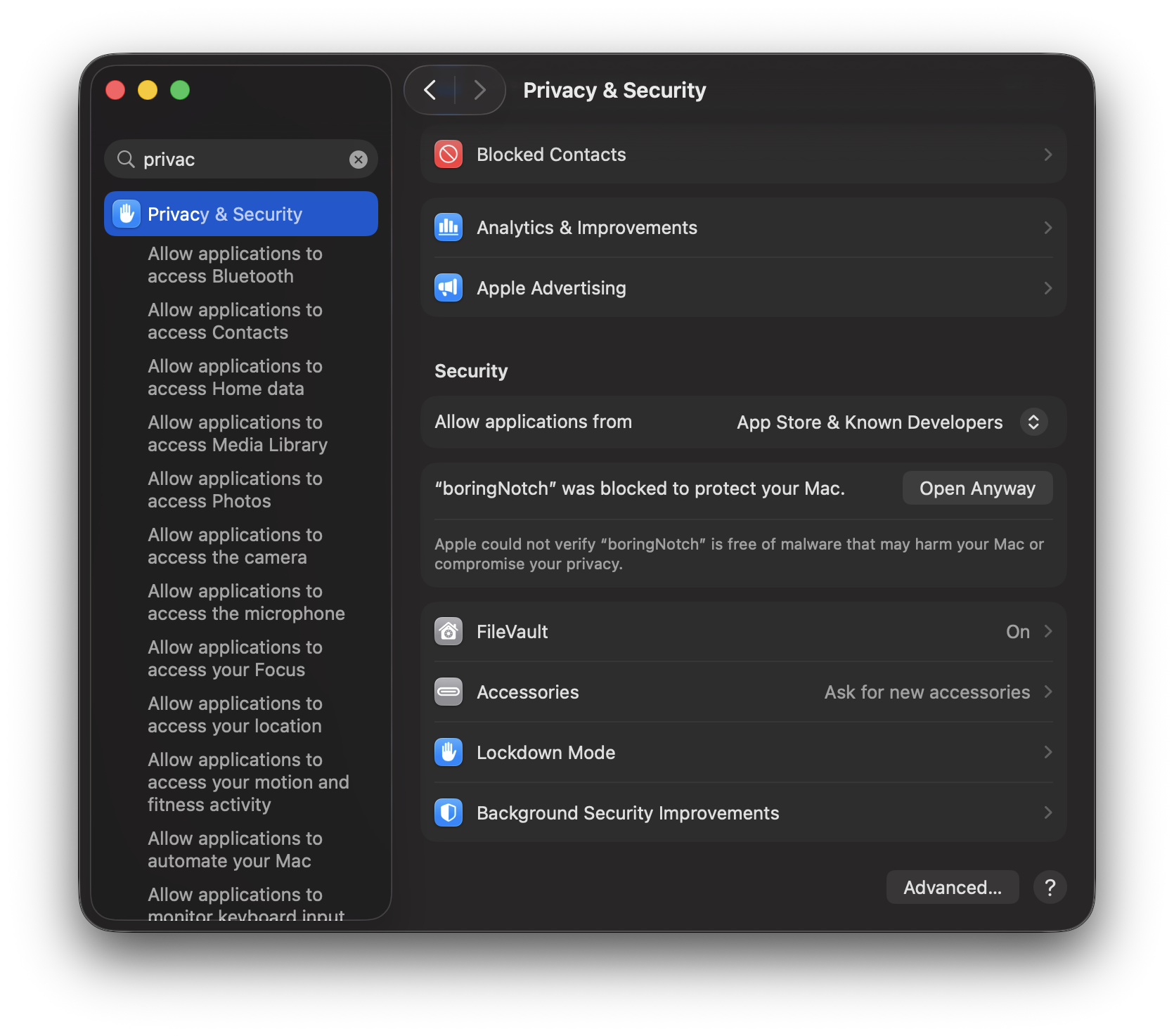
Download the latest .dmg from the GitHub Releases page. On first launch, you'll need to allow the app in System Settings → Privacy & Security.
Option 3: Build from Source
git clone https://github.com/AusafMo/boring.notch.git && cd boring.notch && open boringNotch.xcodeproj
Requires macOS 14 Sonoma+ and Xcode 16+